Explore the UI/UX design case study for ToonDance AI, an AI photo-to-dance-video app with bold onboarding, home feed, and result screens.
Mobile App Design
UI/UX Design
App Onboarding Design
Product Design
AI Application Design
Industry
Technology / AI Software / Entertainment Apps
Tools we used


Project Completion
2026
Industry
Technology / AI Software / Entertainment AppsWhat we did
Platform
-AI content-generation apps live or die by their first-session experience — if onboarding feels confusing or the interface looks generic, users churn before ever generating a single video. In the crowded AI-video app category, screens also need to visually showcase output quality (dancing avatars, motion effects) without the interface itself competing for attention. Generic dashboards or overly technical layouts kill the "fun" factor that drives sharing and virality. The brand also needed a system flexible enough to display everything from baby photos to fashion shoots to pet content, without looking cluttered or inconsistent across use cases.
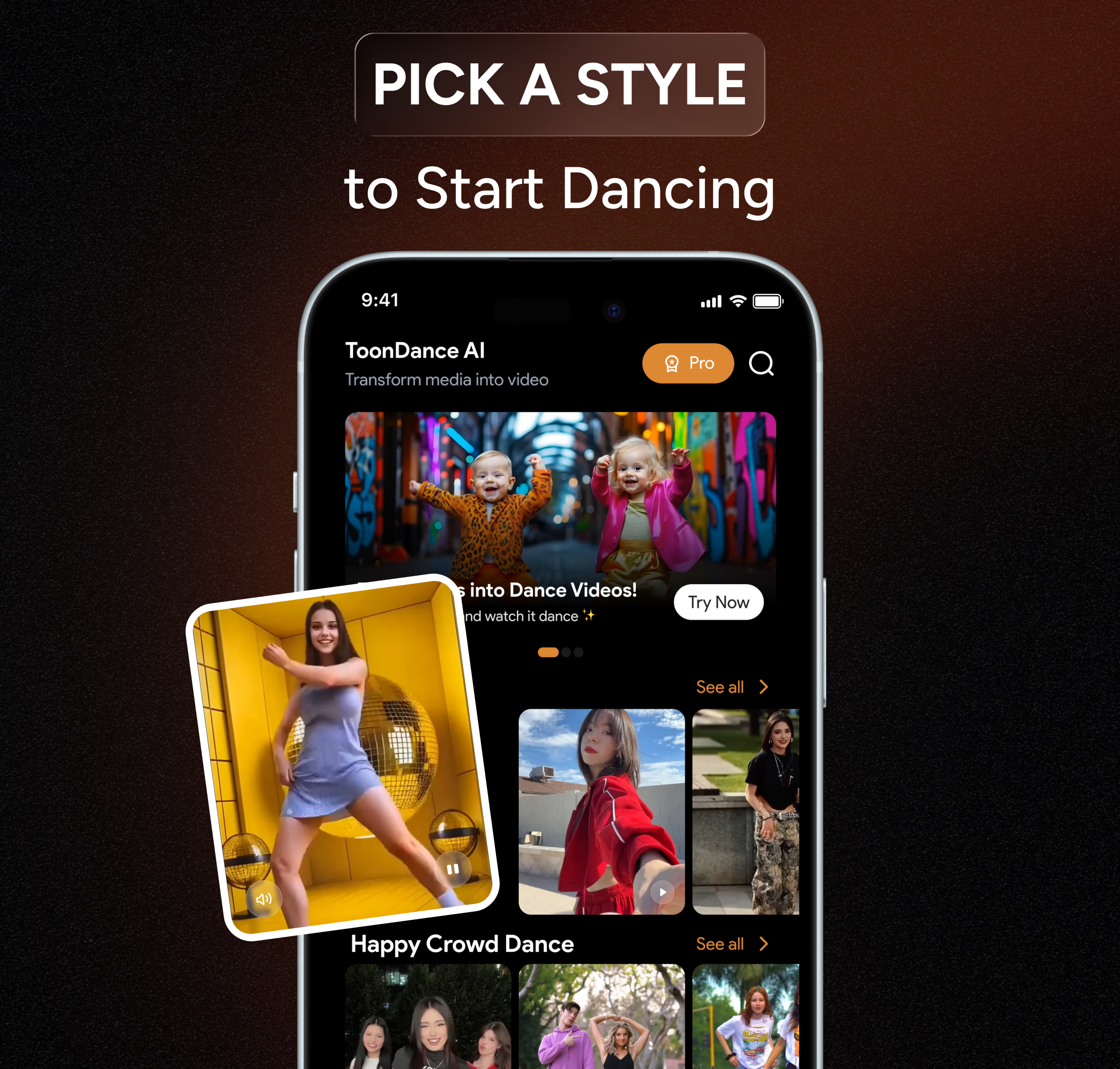
The UI kit uses a full dark theme with a single warm orange ( #DD8833) as the action color, so every "Generate," "Continue," and "Download" button pulls the eye immediately. Onboarding screens lead with full-bleed example content (baby dance, cat parade, movie star baby) paired with short benefit-driven copy and emoji, setting expectations before the user even uploads a photo. The home screen organizes content into scannable categories — Trending, Viral Dance, Energetic Dance — mimicking familiar short-video app patterns users already trust. Crop, generate, and result screens follow a clean linear flow with minimal text, so the AI output photo/video stays the visual focus at every step.