Home / Blog / Computer Vision for Business: Real-World Applications Beyond Tech Giants
Discover how computer vision for business helps companies automate inspections, improve security, analyze products, and streamline daily operations. Explore practical applications that help small businesses and growing teams improve accuracy, efficiency, and decision-making.
14 Oct, 2026
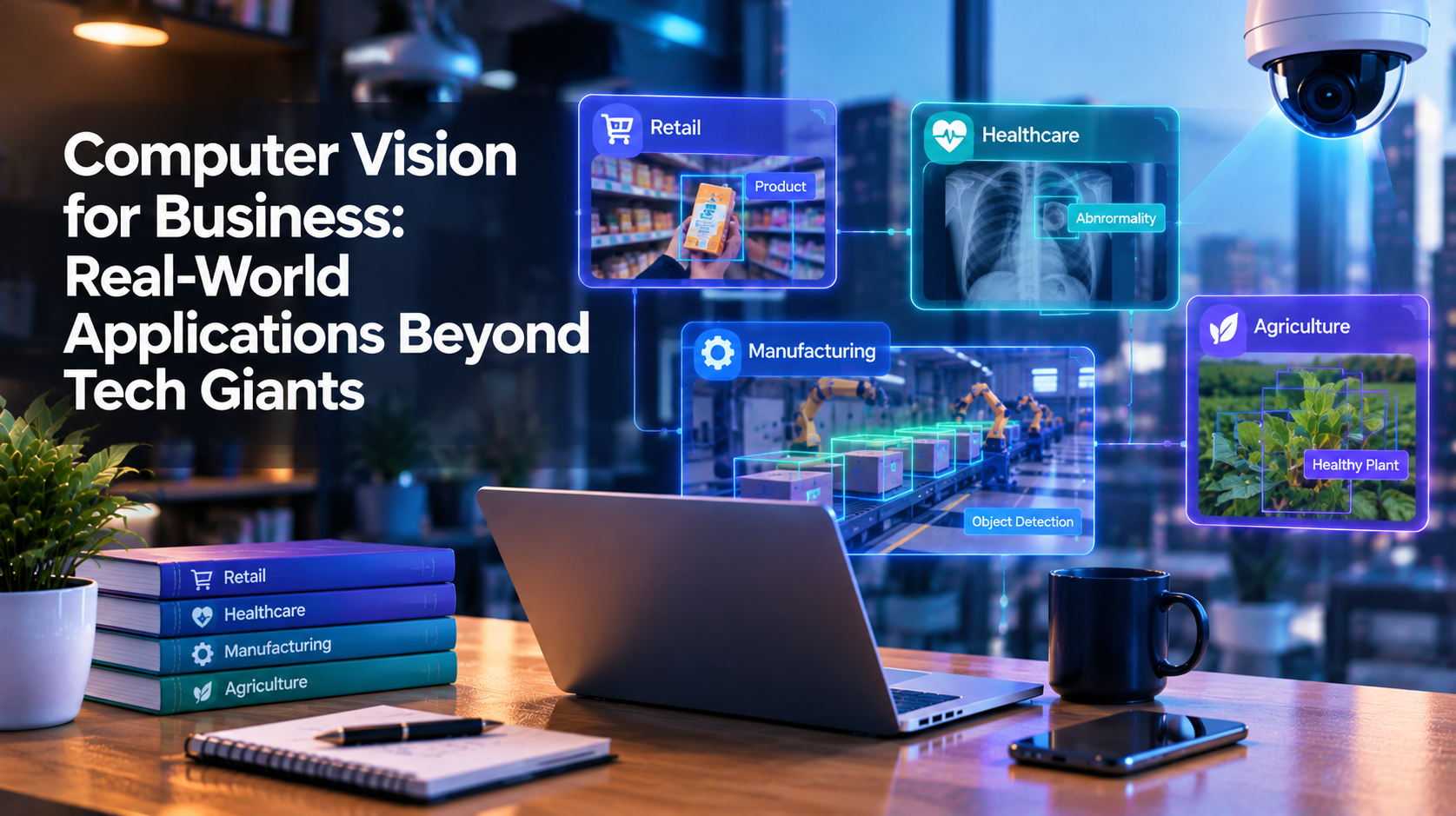
Computer vision often gets discussed as something only large technology companies can afford or use well. Self-driving cars and facial recognition on social platforms tend to dominate the conversation. In practice, computer vision for business has moved well past those headline cases. Mid-sized retailers, manufacturers, clinics, and logistics companies are already using it to solve everyday operational problems, often with far smaller budgets than people assume. Understanding where it actually applies, and where it does not, is the first step before evaluating whether it belongs in your business.
Computer vision is a branch of artificial intelligence that trains software to interpret images and video the way a person would look at them, then extract useful information from what it sees. Instead of a person manually checking a photo, a shelf, or a video feed, a trained model does it automatically and consistently.
It is not one single tool. It covers a range of tasks: identifying objects in an image, tracking movement across video frames, reading text on a label, detecting whether something looks different from a known pattern, or counting items in a scene. Which of these a business needs depends entirely on the problem being solved.
A computer vision system is trained on a large set of labeled images or video, so it learns to recognize patterns, such as what a defective product looks like versus a good one, or what an empty shelf slot looks like versus a stocked one. Once trained, the model is applied to new images or a live camera feed, and it flags what it was trained to detect.
The quality of that training data matters more than the sophistication of the underlying model. A system trained on a narrow, well-labeled dataset for one specific task will usually outperform a more general system asked to do too many things at once. This is why most working implementations start narrow and expand later, rather than trying to automate an entire visual process on day one.
Cameras positioned over shelves or storage areas can flag when stock is low, misplaced, or out of order, without a staff member doing a manual walkthrough. Some retailers also use it to understand foot traffic patterns inside a physical store, separate from any point-of-sale data.
On a production line, computer vision can inspect parts for defects at a speed no human team could sustain for an eight-hour shift, and it does it the same way on the last item as it did on the first. This does not replace quality staff, but it reduces how much of their time goes into repetitive visual checks.
Package and pallet counting, damage detection during handling, and verifying that the right item was picked before it ships are common uses. These are narrow, well-defined tasks, which is exactly where computer vision performs most reliably.
Outside of clinical diagnosis, which carries its own regulatory requirements, computer vision is used in administrative and operational contexts, such as verifying document completeness or supporting inventory management for medical supplies.
Camera-equipped equipment and drones are used to assess crop health, identify problem areas in a field, and estimate yield ahead of harvest, giving smaller agricultural operations data that used to require manual field surveys.
Site cameras can track progress against a schedule, flag safety equipment compliance, or monitor whether an area matches expected site conditions, supporting oversight without adding headcount dedicated to walking the site.
Computer vision recognizes patterns in visual data. It does not understand context the way a person does, and it will not compensate for a broken underlying process. A camera that flags a defective part still requires a workflow that acts on that flag. A shelf-monitoring system still needs someone accountable for restocking. The technology surfaces information faster and more consistently than manual checks; it does not remove the need for a process built around that information.
It also depends heavily on lighting, camera placement, and image quality. A system trained on well-lit, consistent conditions can perform noticeably worse if deployed in a poorly lit warehouse aisle or an inconsistent outdoor environment. This is a common reason early pilots underperform, and it is usually a setup issue rather than a limitation of the technology itself.
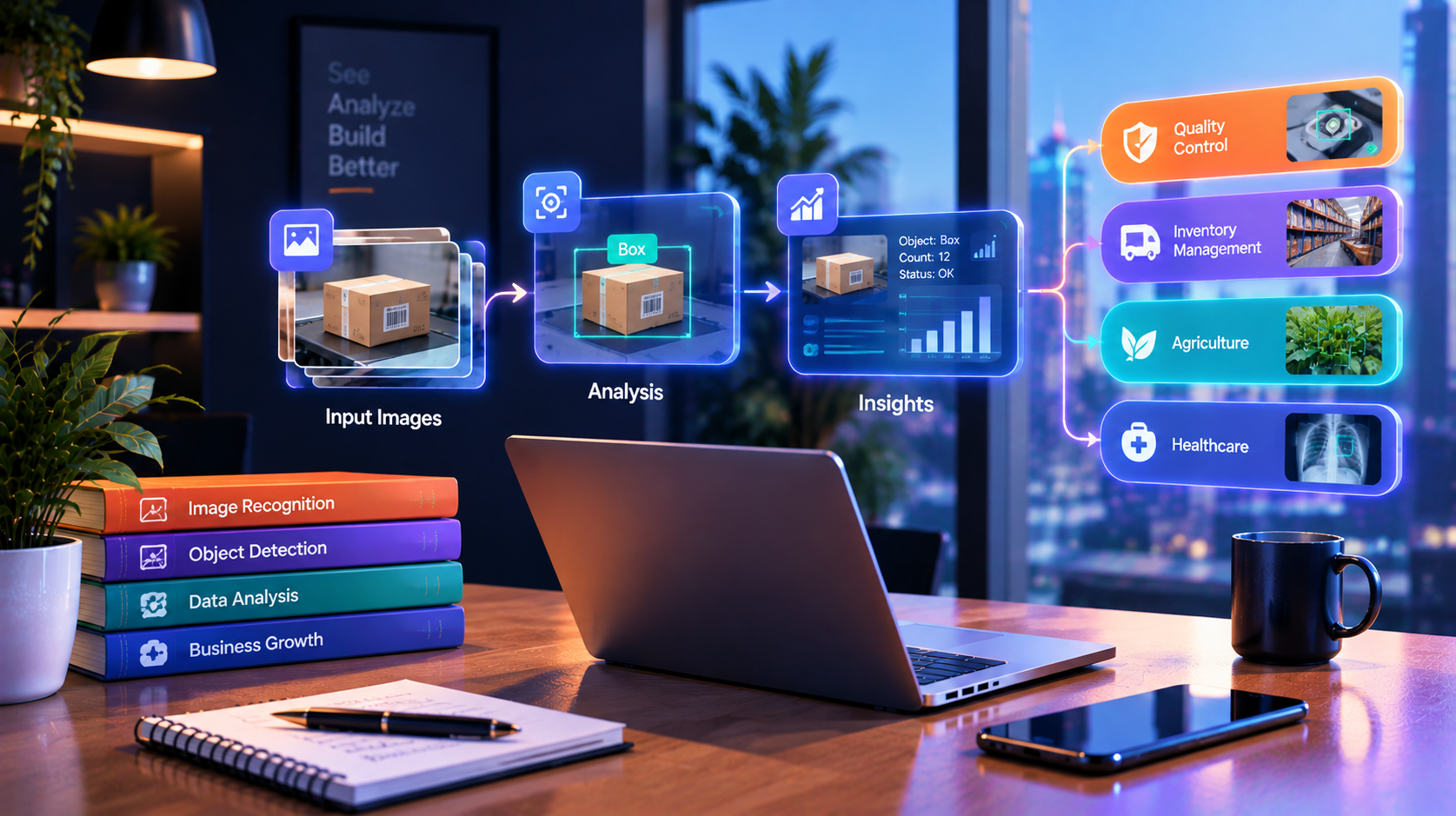
The most frequent mistake is starting with a broad goal, such as "monitor the whole warehouse," instead of a specific, measurable task, such as "flag when a specific SKU's bin is empty. " Narrow use cases are easier to train accurately, easier to measure, and easier to justify before expanding further.
A second common mistake is underestimating ongoing maintenance. Models can drift over time as conditions change, such as new packaging, a different camera angle, or a new product line, and they need periodic retraining to stay accurate. Treating computer vision as a one-time setup rather than a maintained system is a common reason results decline after the first few months.
Computer vision tends to make sense when a business has a repetitive visual task that currently depends on manual checking, when that task happens often enough to justify the setup effort, and when the conditions around it, such as lighting and camera placement, can be reasonably controlled. It is less likely to make sense for a one-off need or a task where the visual signal is highly inconsistent.
Because implementation depends on data quality, camera infrastructure, and how the output connects to an existing workflow, the right starting point is usually an assessment of the specific process before committing to a build. 10turtle's AI Automation team works with computer vision, machine learning, and workflow automation as dedicated specialties, coordinated with the same team handling any related web or software work a project touches, so a computer vision initiative does not end up disconnected from the rest of the business's systems. A free audit is one way to get a clear picture of whether a specific process is a good fit before any development work begins.
For businesses weighing computer vision against other AI approaches, it helps to understand how it fits within the broader category of deep learning solutions for business, since computer vision is one specific application built on those underlying techniques.
Is computer vision only useful for large companies with big budgets?
No. Many working implementations are narrow, single-task projects, such as monitoring one production line or one storage area, which keeps setup costs proportional to the problem being solved. Scope, not company size, is usually the bigger factor in cost and complexity.
How is computer vision different from a regular security camera?
A regular camera records footage for a person to review later. A computer vision system analyzes the footage automatically and flags specific conditions, such as a defect, an empty shelf, or a safety issue, without requiring someone to watch the feed continuously.
Does computer vision replace the need for staff who currently do visual checks?
Not typically. It reduces the time spent on repetitive visual inspection, but someone still needs to act on what the system flags. Most implementations shift staff time toward exceptions and decisions rather than eliminating the role entirely.
How long does it take to see results from a computer vision project?
This depends on the scope, data availability, and how controlled the physical environment is, so a specific timeline isn't something that can be stated without reviewing the process first.
Browse
Resources







-1758183129146.webp)

-1758183300144.webp)
-1758183194311.webp)